
Testing preview for Windows & Mac
From your notes,
From your notes,
to what's next.
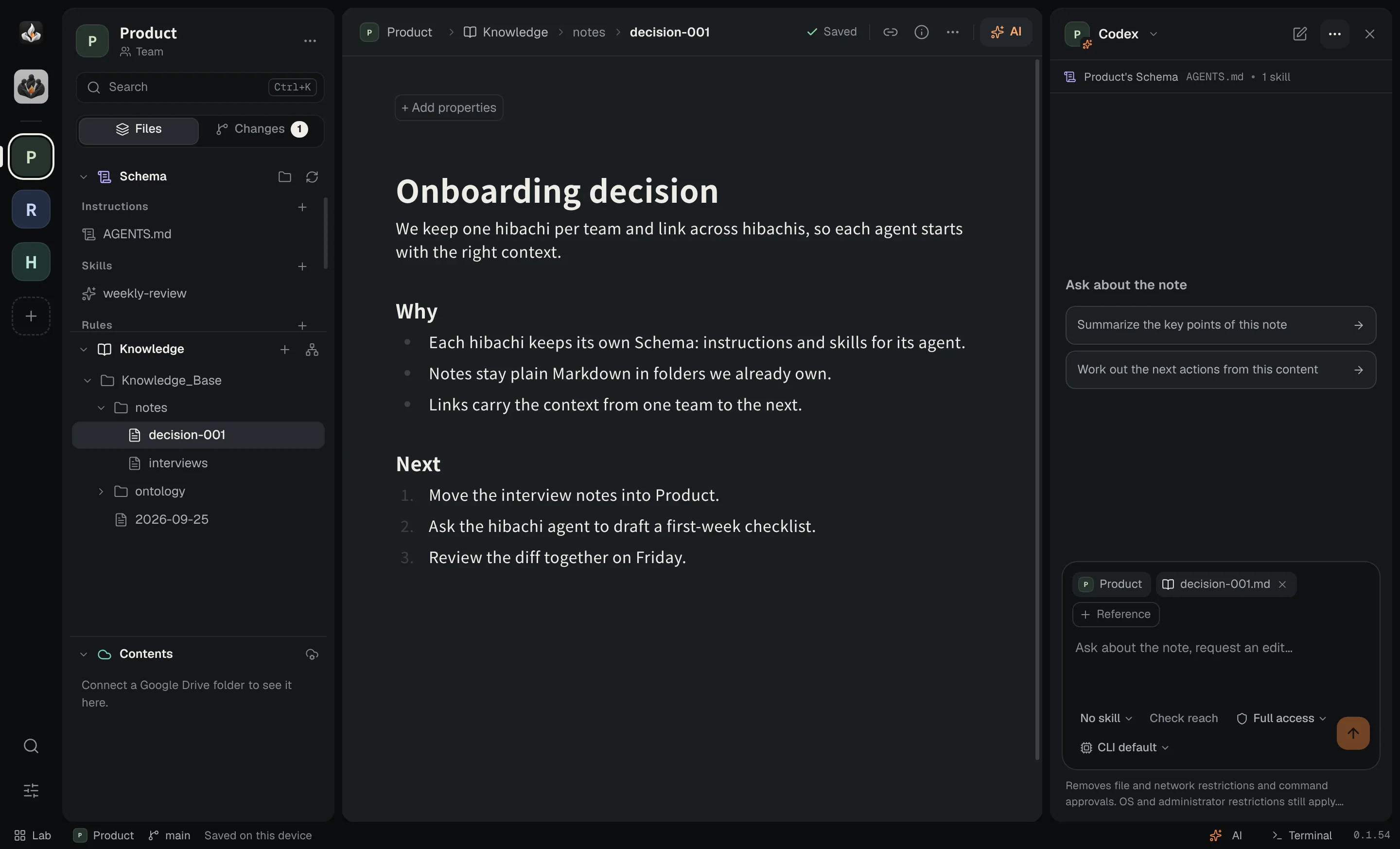
Your notes and your AI agents, in one desktop app.
Works with
- Claude Code
- Codex
- OpenCode
- Pi
- Hermes Agent
The hibachi
One folder, three layers.
Your notes
Your materials
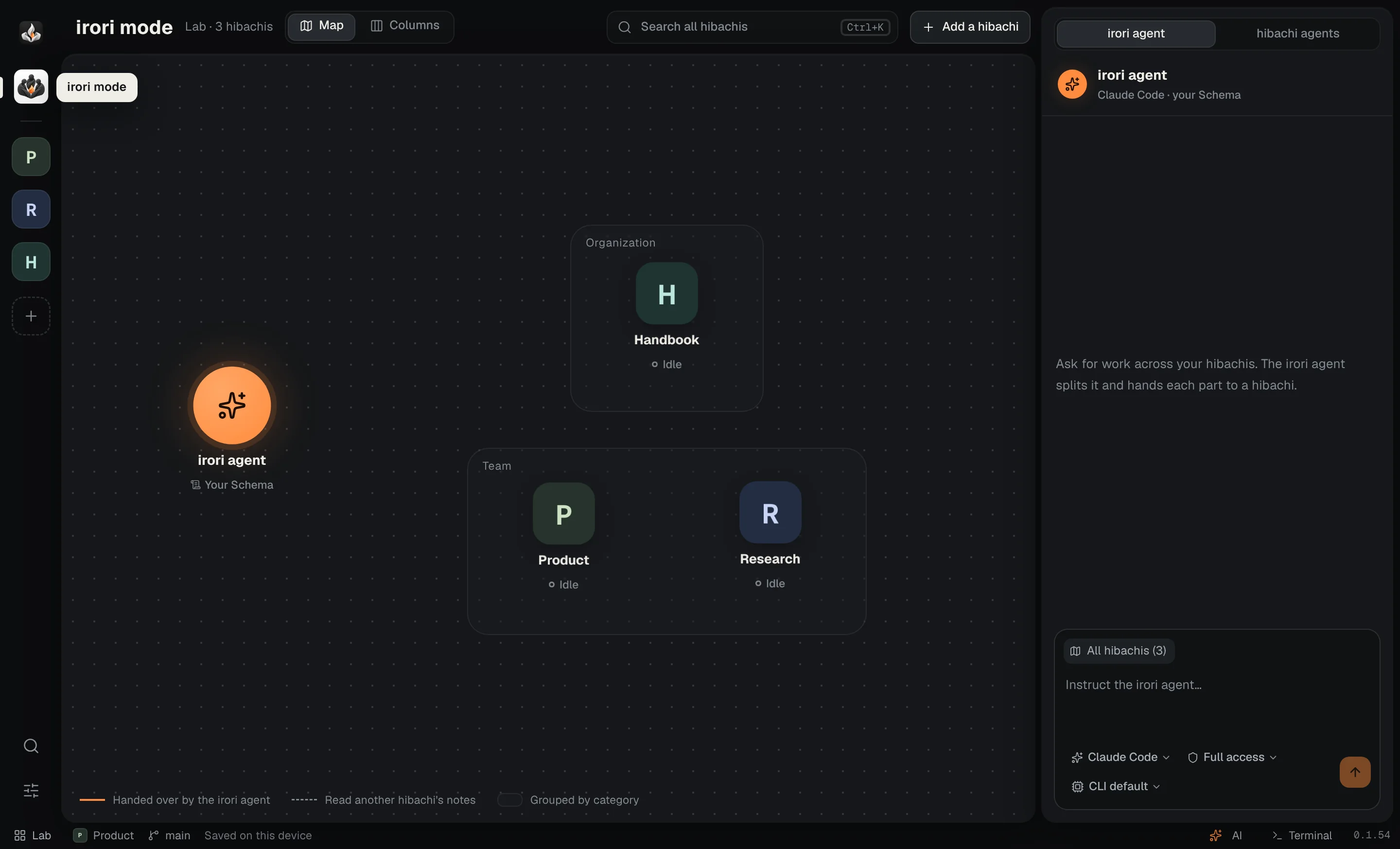
irori mode
One agent across every hibachi.
The irori agent splits the work and hands each part to the right hibachi.
Notes
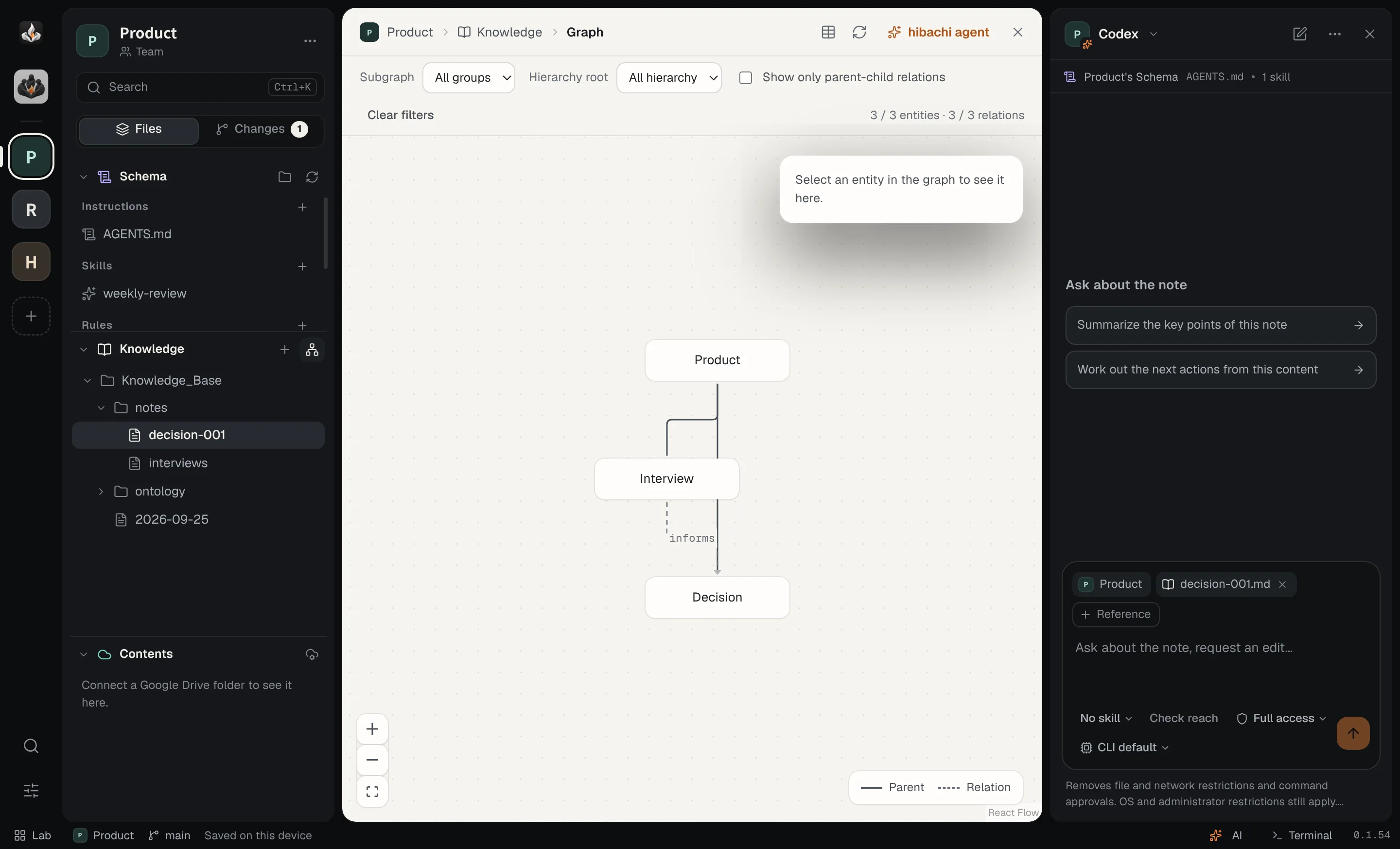
Notes that connect.
Links, backlinks, properties and a graph of what you know.
Records
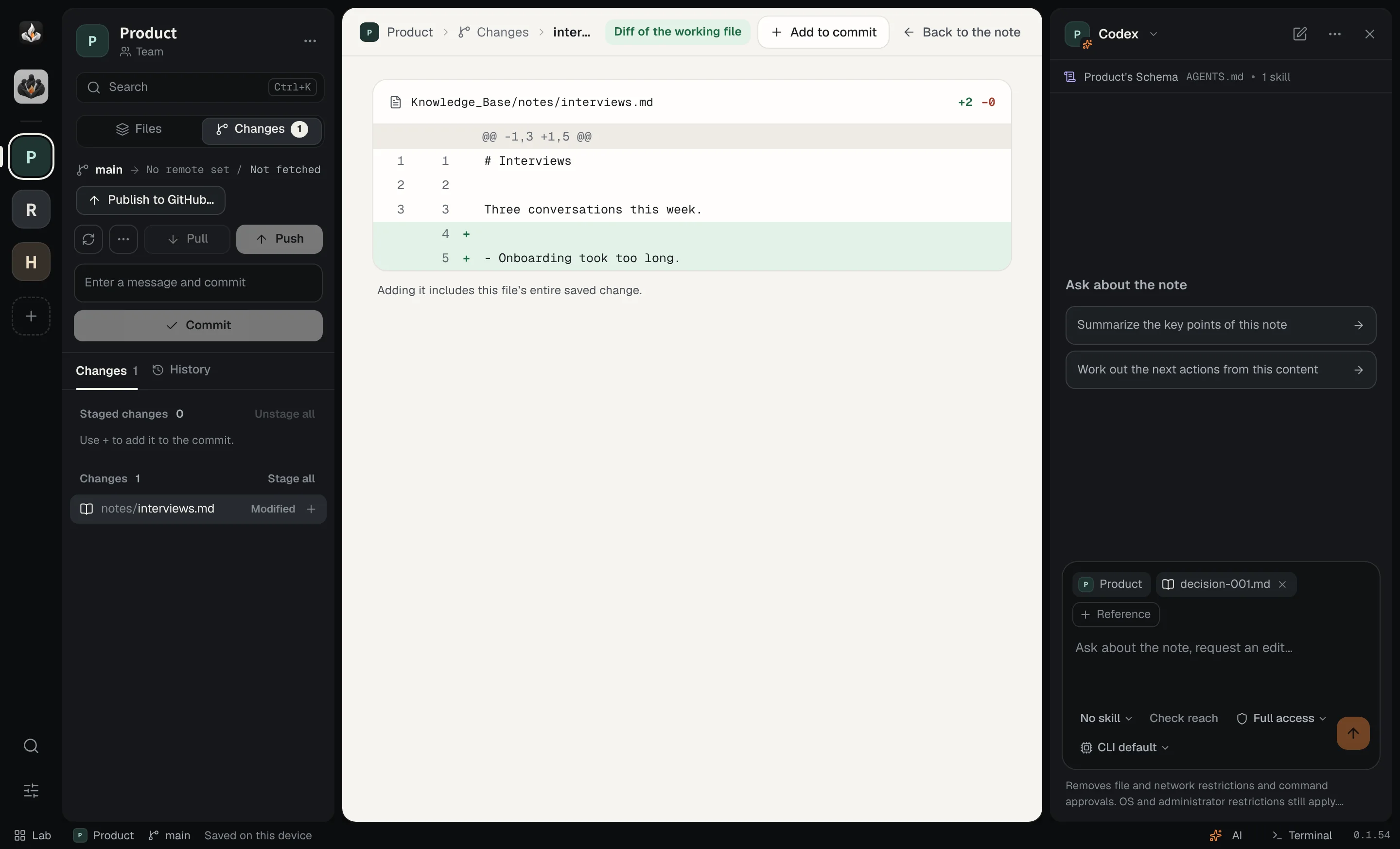
Every change on record.
See each edit as a Git diff before you commit.
Download
Bring irori home.
Testing preview for Windows and Mac.
- Not signed yet — try it with a copy of your notes.
- Windows: if SmartScreen appears, choose More info → Run anyway.
- Mac: first launch, go to System Settings → Privacy & Security → Open Anyway.
Get started
Three steps.
-
Install Git
Git, plus an AI CLI if you want agents.
-
Add a hibachi
Open a folder, clone from GitHub, or create one.
-
Write, then ask
Press AI to hand the next step to an agent.
FAQ
Good to know.
Is irori a web app?
No, it's a desktop app for Windows and Mac.
Do I need an AI account?
Only for agents. irori uses the CLI you already signed in to; it has no account or API key of its own.
Where are my notes?
In your folder, as plain Markdown.
Which computers?
Windows 11 (x64) and Apple silicon Macs. On Linux, run from source.